
Nano Banana Prompts: Copy a Proven Prompt, Generate It Instantly
A hand-curated Nano Banana prompts library where every prompt ships with the real image it produced. Browse by look, copy any prompt for the tool you use, or run one right here — type or paste a prompt below and generate in seconds. Free to start, no watermark on free renders.
Browse the Nano Banana Prompts Library
Every card pairs a complete Nano Banana prompt with the real image it generated. Read the full prompt, copy it for any model, or hit Use It to open it in Banana AI pre-loaded and ready to run. New Nano Banana prompts are added across every popular style — scroll to find the look you need.
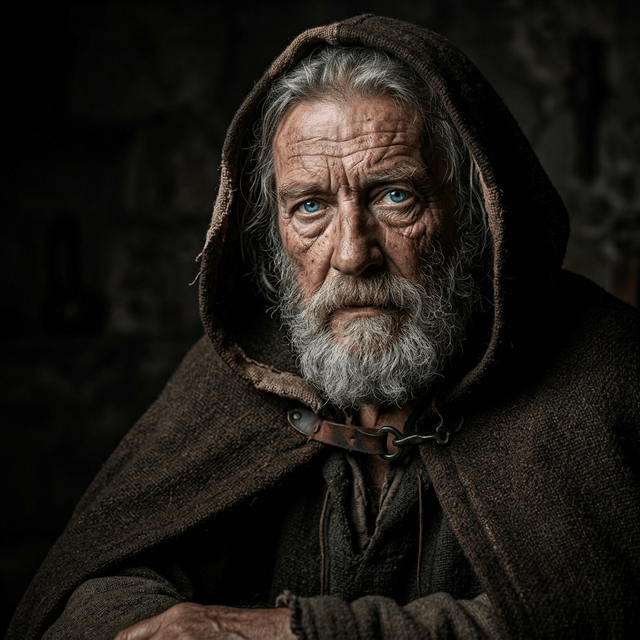 Portrait
Expressive Oil-Painting Portrait
Prompt
Repaint the uploaded portrait as a contemporary expressive oil painting with bold, confident brushwork and semi-abstract realism. Build the face from layered patches and broken colour blocks while keeping the likeness, features and proportions exact. Use a rich warm palette of peach, golden beige, soft amber, rose pink and deep burgundy, balanced by cool olive and desaturated teal accents. Let edges shift between soft blended transitions and sharp painterly marks; allow the background and subject to merge through colour harmony and directional strokes. Warm, diffused light creates luminous skin and glowing highlights. Visible canvas texture, thick-and-thin impasto, a slightly impressionistic yet intentional finish. Keep it gallery-quality, painterly and emotive rather than photographic.
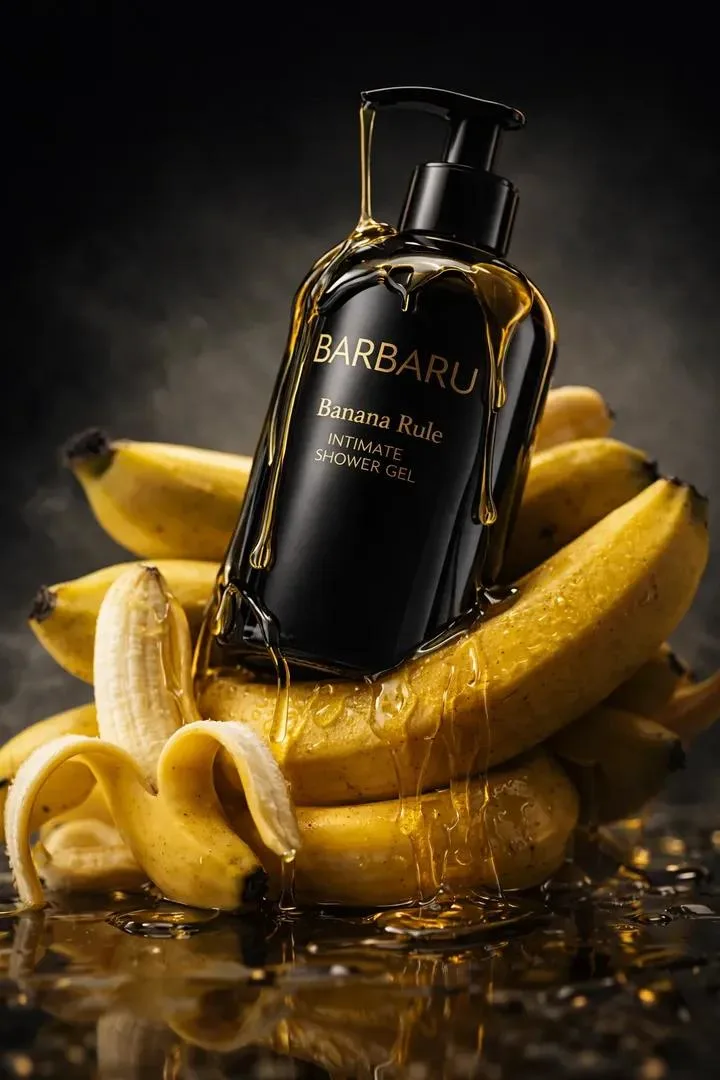 Product
Clean E-commerce Packshot
Prompt
Place the uploaded product on a seamless soft-gradient studio backdrop, perfectly centered, with a subtle grounding reflection and a soft top-left key light plus gentle fill. Preserve the product shape, label, materials and colour exactly — no relighting that distorts the brand. Crisp edge-to-edge focus, clean contact shadow, balanced exposure, neutral white balance. Leave generous negative space around the product for headline and price text. Premium e-commerce catalog aesthetic, marketplace-ready, no clutter, no props, no busy background. Output a bright, trustworthy hero image suitable for a storefront listing, an Amazon main image, or a paid ad.
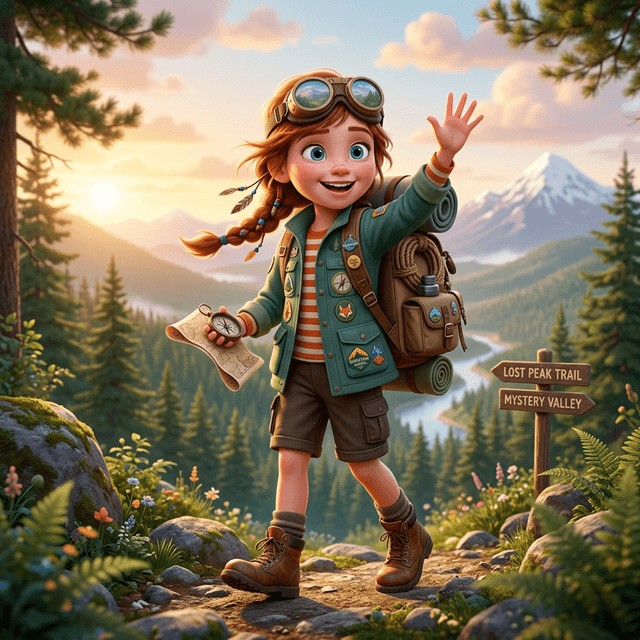 3D Figurine
Collectible 3D Figurine
Prompt
Turn the person in the uploaded photo into an adorable collectible 3D figurine with a slightly oversized head and a soft, stylised body, displayed on a clean rounded studio base. Preserve the face, hairstyle, expression and outfit colours so it is clearly the same person. Render glossy toy materials, soft subsurface skin, handcrafted stitching and lifelike eyes. Use warm three-point studio lighting, a shallow depth of field and a minimal pastel background. Emphasise premium product-shot framing, macro detail on the textures, and a charming, friendly pose. The result should feel like a high-end designer collectible photographed for a release announcement.
 Anime
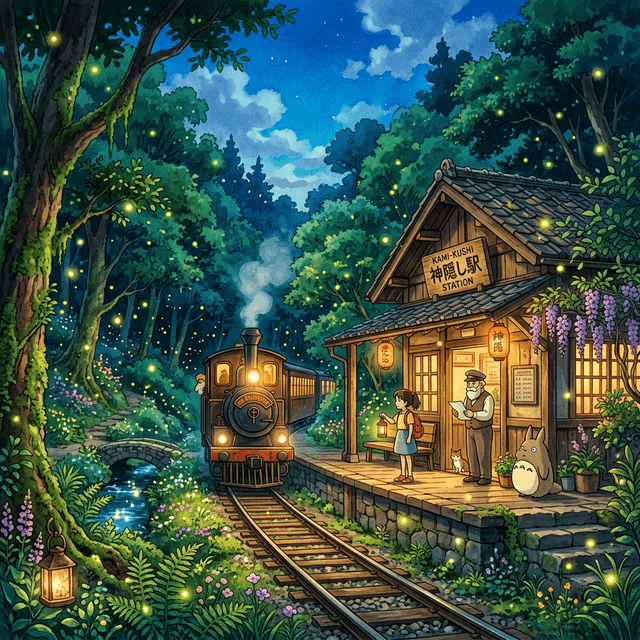
AnimeHand-Painted Anime Scene
Prompt
Transform the uploaded photo into a hand-painted scene inspired by classic 1990s Japanese fantasy animation, keeping the original composition, camera angle, framing, pose and scene structure completely intact — only the art style changes. Give characters soft expressive features, warm friendly eyes, subtle blush and clean confident linework. Use authentic cel-shading with simple two-tone coloring on skin and clothing. Recreate the environment as a richly painted background with watercolour textures, layered brushwork and atmospheric depth — trees, clouds and architecture lovingly hand-painted. Soft natural cinematic lighting, warm sunlight, gentle shadows, a peaceful nostalgic palette of muted greens, sky blues and warm yellows. The final frame should feel magical, comforting and timeless.
 Sci-Fi
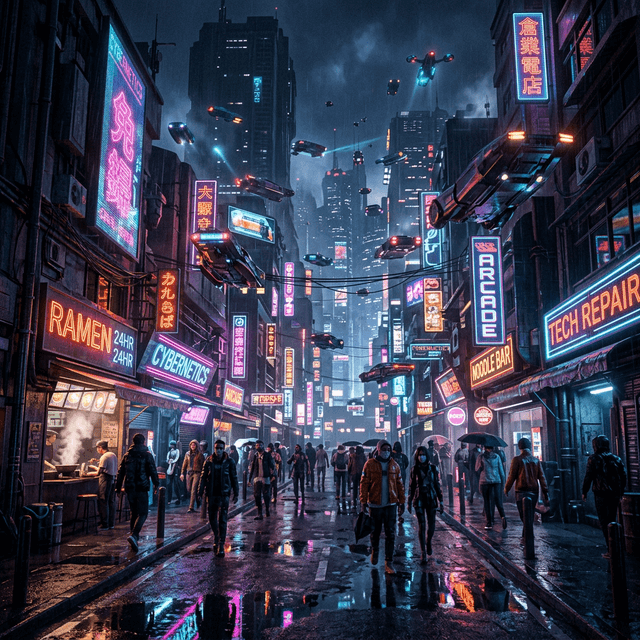
Neon Cyberpunk Street
Prompt
Generate a rain-slicked cyberpunk street at night, dense with towering holographic signage glowing in hot pink, electric cyan and deep violet, all reflecting in the wet pavement and puddles. Add light fog and steam rising from grates, a lone hooded figure walking mid-frame, and layered megacity architecture fading into atmospheric haze. Cinematic wide shot, anamorphic lens flares, high contrast, moody volumetric lighting cutting through the mist. Ultra-detailed textures on wet concrete, neon tubing and reflective surfaces. Filmic colour grade with crushed blacks and saturated neon highlights, a sense of scale and quiet tension. Photoreal sci-fi, blade-runner mood, 35mm cinematic framing.
 Portrait
Executive Studio Headshot
Prompt
Using the uploaded photo as the identity reference, create a premium executive headshot of the same person with a powerful, sophisticated leadership presence. Keep facial identity, proportions and natural skin texture exact and realistic. Dress the subject in a perfectly tailored dark business suit and a crisp white shirt for a luxury corporate look. Use cinematic studio lighting with dramatic Rembrandt-style shadows for depth and authority, a clean dark elegant background, and direct confident eye contact. Refined facial definition, polished high-end editorial finish, exceptional realism and 8K-level detail. The result should be ready for a LinkedIn profile, an about page, or a press kit.
 Landscape
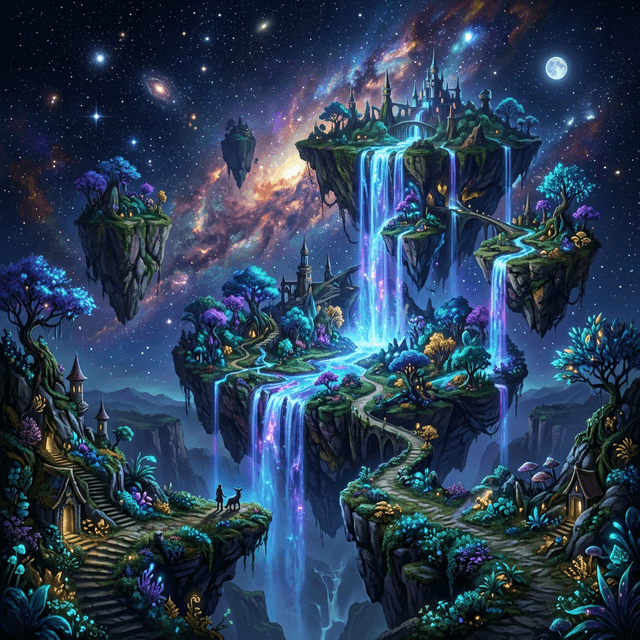
Epic Fantasy Landscape
Prompt
Paint a sweeping fantasy valley at golden hour: floating rock islands tethered by hanging vines, a distant thundering waterfall, and soft volumetric god-rays breaking through layered clouds. Foreground flora rendered in crisp detail, mid-ground rolling hills, and a far horizon dissolving into warm atmospheric perspective. Painterly concept-art finish with rich depth, a warm-to-cool gradient from amber sunlight to cool shadow, and a sense of awe-inspiring scale. Add tiny silhouetted travelers on a ridge for scale. Cinematic composition, balanced rule-of-thirds, ultra-detailed, matte-painting quality suitable for a game key art or a book cover.
 Brand
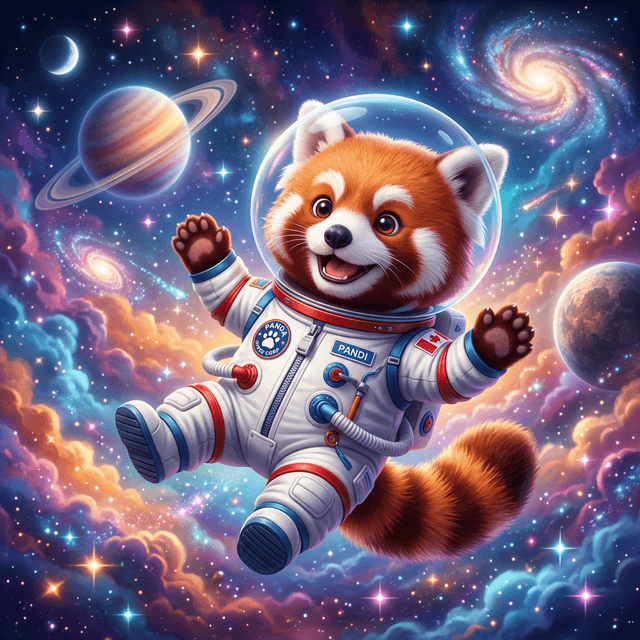
BrandBrand Mascot Character
Prompt
Design a friendly, memorable brand mascot built from rounded, approachable shapes with bold flat colours and clean confident vector-style outlines. Give it an expressive, cheerful face, a simple silhouette that reads at small sizes, and a single hero pose centered on a plain background. Keep the colour palette tight and reproducible so it works as a logo, an app icon and a sticker set. Modern, playful, professional character design with subtle soft shading for a little dimension. Avoid gradients that break at small scale. Deliver a clean, scalable mascot ready for a brand system.
 Product
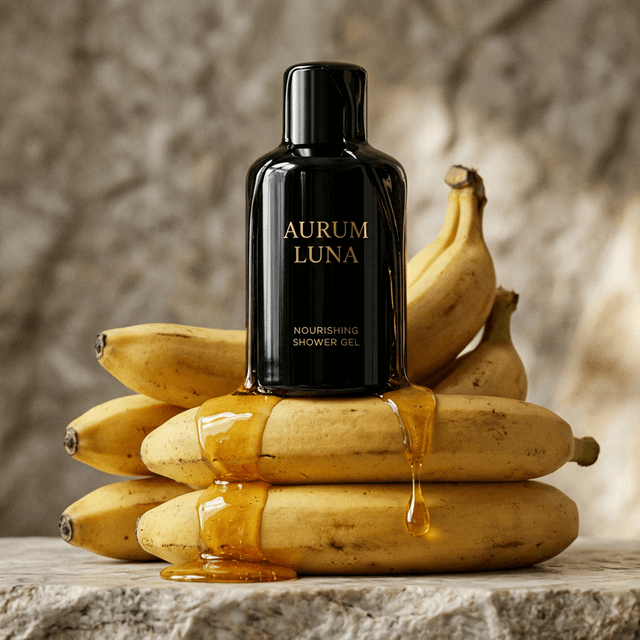
Luxury Product Advert
Prompt
Create a high-end advertising still of the uploaded product resting on a dark polished marble surface, lit by a single dramatic rim light from behind to carve its silhouette. Add fine water droplets, deep mirror reflections, a touch of atmospheric haze and a subtle warm key fill on the label. Keep the product shape, finish and branding exactly as supplied. Rich contrast, deep blacks, magazine-grade clarity, editorial luxury aesthetic with shallow depth of field. Compose with strong negative space on one side for a headline and logo. The final frame should feel like a premium perfume or spirits campaign.
 Anime
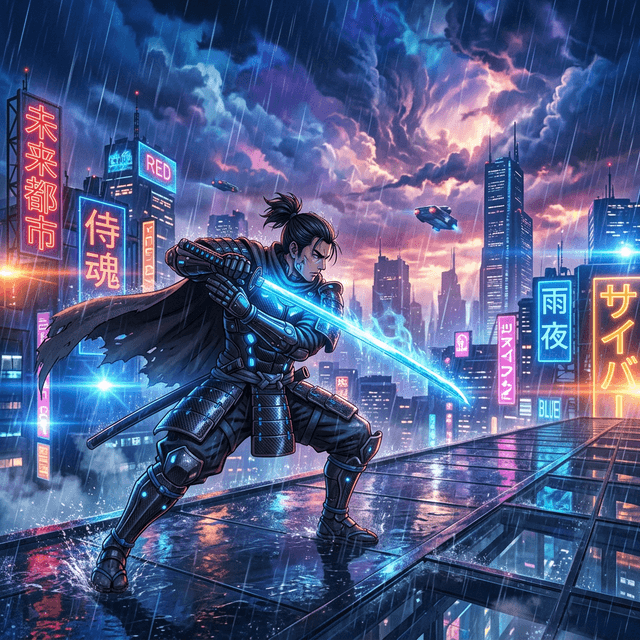
AnimeCinematic Anime Portrait
Prompt
Convert the uploaded portrait into a cinematic modern-anime key visual while keeping the hairstyle, outfit and recognisable features. Use clean precise linework, soft gradient cel shading, expressive detailed eyes with catchlights, and a dramatic rim light separating the subject from a shallow bokeh background. Add a subtle wind motion to the hair and a moody time-of-day colour grade — teal shadows, warm highlights. Film-still framing with a slightly low angle for presence. Vivid yet balanced colours, crisp focus on the face, poster-ready composition. The result should look like a frame from a high-budget anime feature.
 Lifestyle
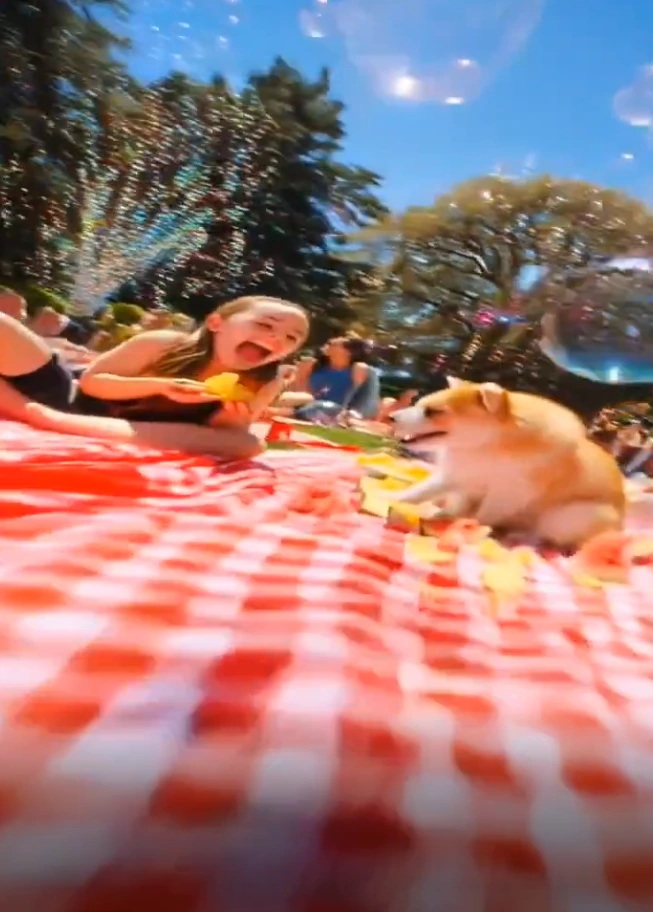
Golden-Hour Lifestyle Shot
Prompt
Place the people from the uploaded photo into a warm golden-hour park picnic, preserving every face, expression and outfit exactly. Soft backlight rims their hair, blurred autumn foliage glows in the background, and natural candid poses make the scene feel unposed. Realistic skin tones, gentle film-like colour grade, soft contrast, shallow depth of field and a relaxed lifestyle-magazine mood. Add believable contact shadows and ambient bounce light so everyone sits naturally in the scene. The result should look like a real, professionally shot lifestyle photograph suitable for a brand campaign or social content.
 3D Figurine
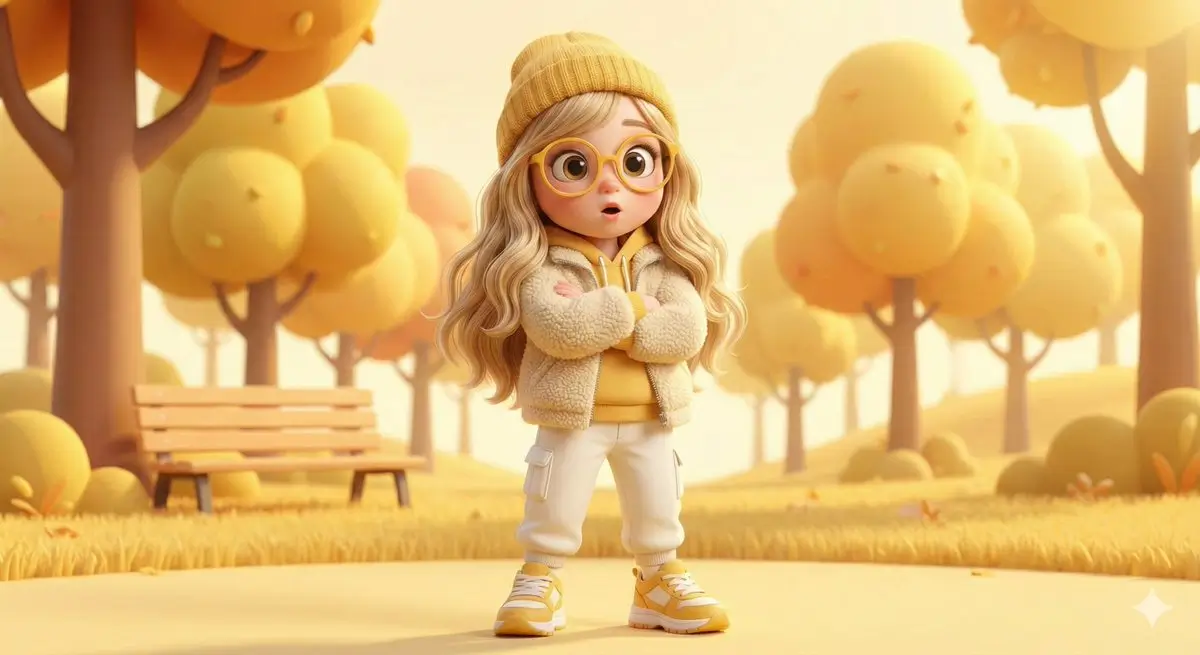
3D Cartoon Character
Prompt
Reimagine the uploaded subject as a high-quality 3D cartoon character with smooth stylised proportions, big friendly eyes, soft subsurface skin and vibrant clothing, keeping the recognisable features and outfit palette. Studio three-point lighting, a clean seamless backdrop, gentle ambient occlusion and a polished render finish reminiscent of a modern animation studio. Add a confident, expressive hero pose and subtle depth of field. Crisp materials, appealing silhouette, warm inviting colour grade. The result should feel like a promotional still for an animated film — charming, premium and instantly likeable.
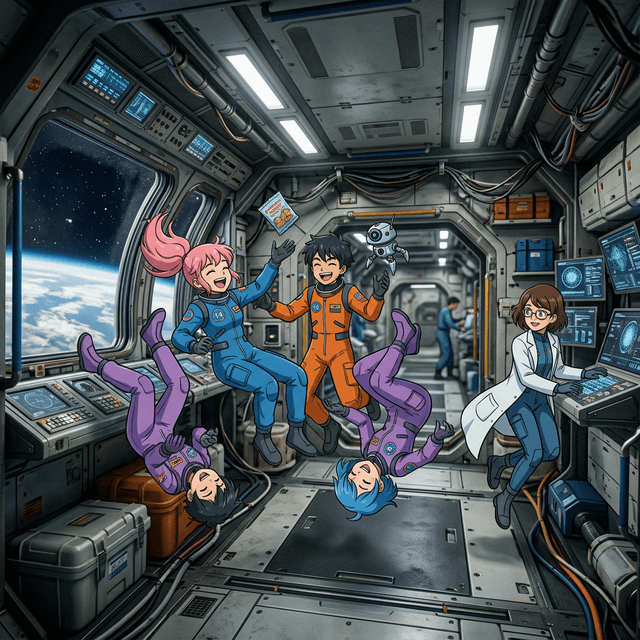 Sci-Fi
Anime Space Adventure
Prompt
Generate an anime-style hero gazing out at a glowing nebula from inside a spacecraft cockpit, the cosmic colours reflecting across the visor and control panels. Bold rim lighting, saturated purples and cyans, clean cel shading, and a dynamic over-the-shoulder composition that creates depth and wonder. Add drifting stars, a distant planet and soft lens glow. Crisp linework, expressive eyes, a sense of quiet awe and scale. Poster-ready key art with strong silhouette and a cinematic colour grade. The frame should feel like the opening shot of a sci-fi anime series.
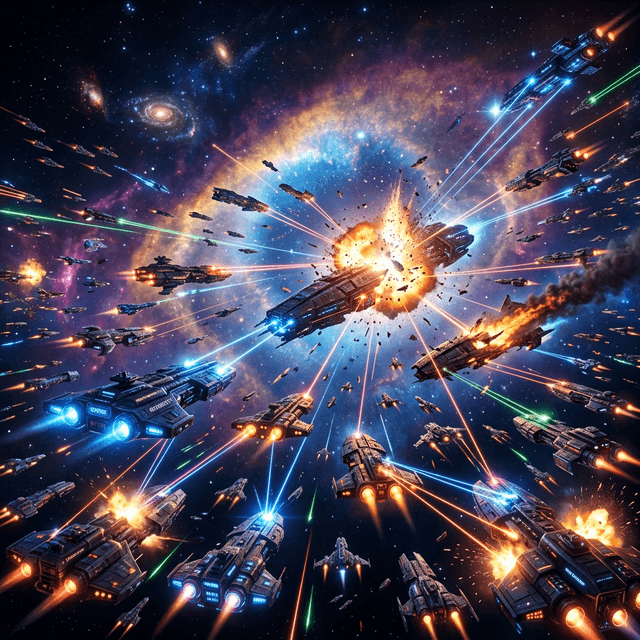 Sci-Fi
Epic Space Battle
Prompt
Render a sprawling space battle: capital ships trading volleys of energy fire, swarms of fighters weaving through debris, and a planet glowing on the horizon. Dramatic volumetric light from a distant star, glowing engine trails, explosions blooming with realistic falloff, and lens flares streaking across the frame. Epic scale with foreground hero ship, mid-ground formations and a deep starfield background. Cinematic colour grade, high dynamic range, ultra-detailed hull textures and particle effects. Compose for motion and tension, like a climactic shot from a sci-fi blockbuster. Photoreal sci-fi concept art.
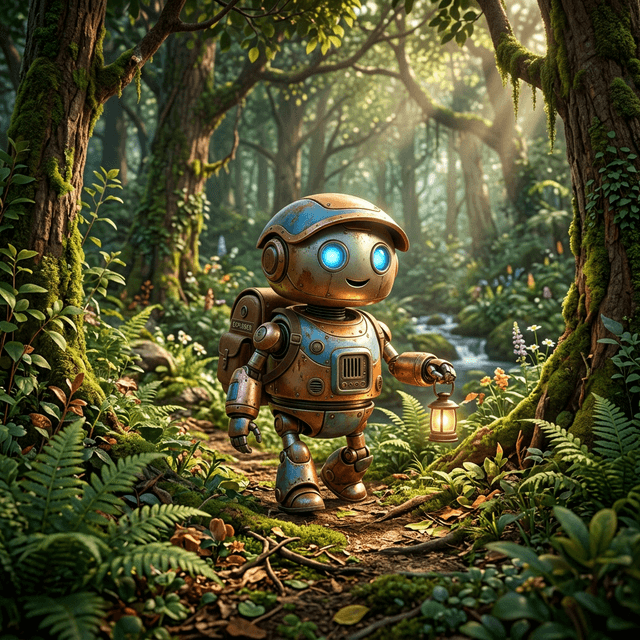 3D Figurine
Pixar-Style Character
Prompt
Turn the uploaded person into a charming Pixar-style 3D character: soft rounded features, large warm expressive eyes, smooth stylised skin with gentle subsurface scattering, and a friendly approachable pose, while keeping the hairstyle, outfit and key features recognisable. Use bright cinematic three-point lighting, a soft gradient background, appealing colour design and a shallow depth of field. Polished animation-studio render quality with clean materials, subtle ambient occlusion and a warm inviting mood. The result should look like an official character render for a family animated movie.
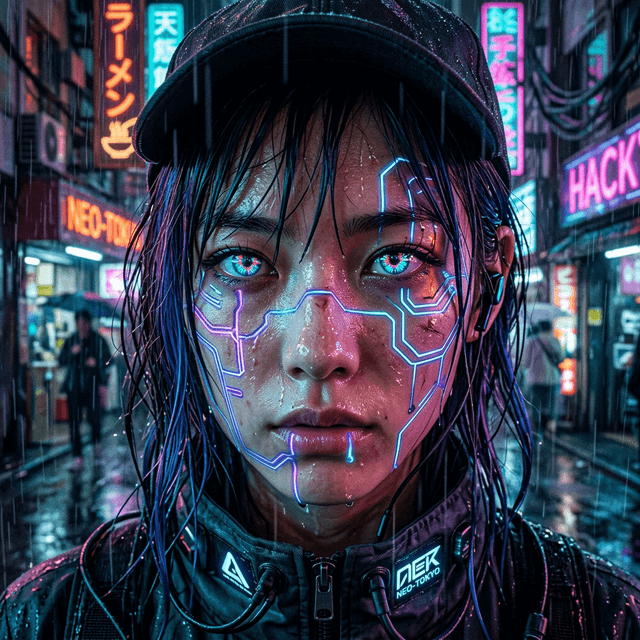 Portrait
Cyberpunk Neon Portrait
Prompt
Restyle the uploaded portrait as a cyberpunk neon character while preserving the exact face and identity. Light the subject with split pink-and-cyan neon, add subtle holographic reflections in the eyes, fine techwear details and a dark rain-streaked city bokeh behind. High-contrast cinematic lighting, glossy skin highlights, crisp focus on the eyes, and a moody filmic colour grade. Keep skin texture realistic — no plastic look. Compose as a tight editorial portrait with strong rim light and atmospheric depth. The result should feel like a poster for a near-future thriller.
 Landscape
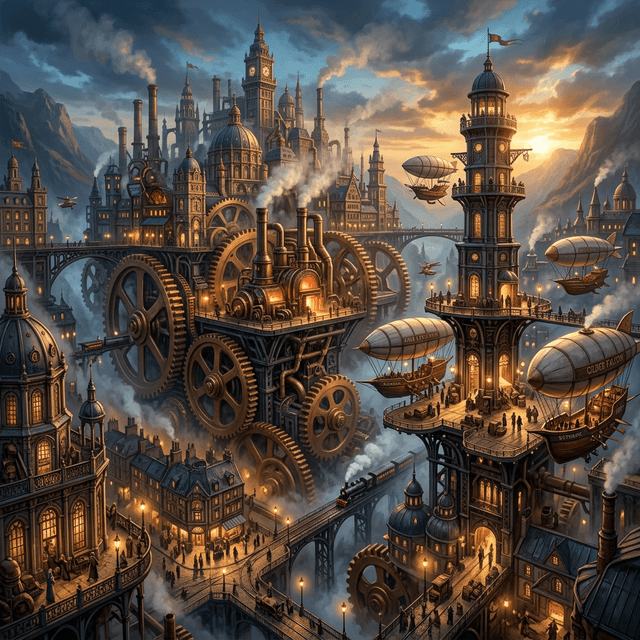
Steampunk Cityscape
Prompt
Create a sprawling steampunk city of brass towers, riveted pipes, rotating gears and airships drifting between rooftops, all wreathed in warm steam and golden afternoon light. Layered depth from detailed foreground machinery to a hazy skyline, copper and amber palette with teal shadow accents, and tiny figures for scale. Intricate mechanical detail, atmospheric perspective, painterly concept-art finish with rich texture. Cinematic composition with strong leading lines toward a central landmark tower. Ultra-detailed matte-painting quality, suitable as game or film concept art.
 Landscape
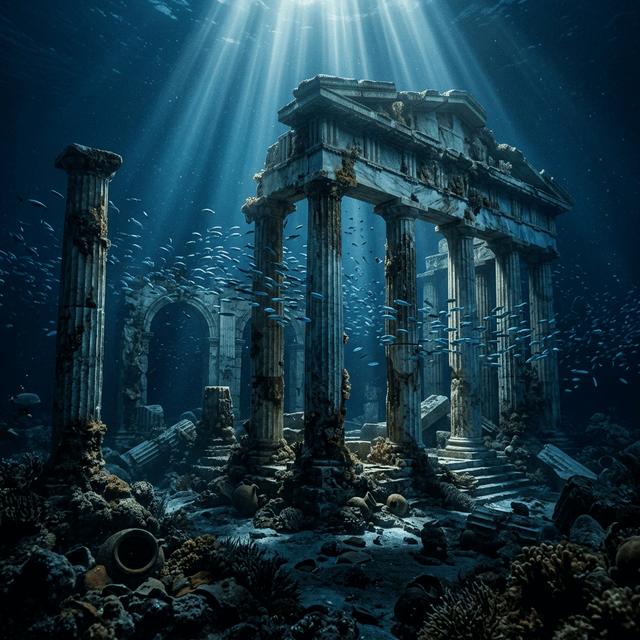
Sunken Underwater Ruins
Prompt
Generate ancient sunken ruins on the ocean floor: toppled stone columns and a half-buried temple draped in coral and seaweed, schools of fish drifting through god-rays piercing the blue water. Caustic light dancing across the stone, particulate floating in the water column, and a calm, mysterious atmosphere. Cool teal-and-blue palette with warm shafts of sunlight from above, strong depth, and a sense of vast quiet scale. Ultra-detailed textures, cinematic underwater lighting, atmospheric haze. Photoreal fantasy concept art with an awe-struck, exploratory mood.
 Landscape
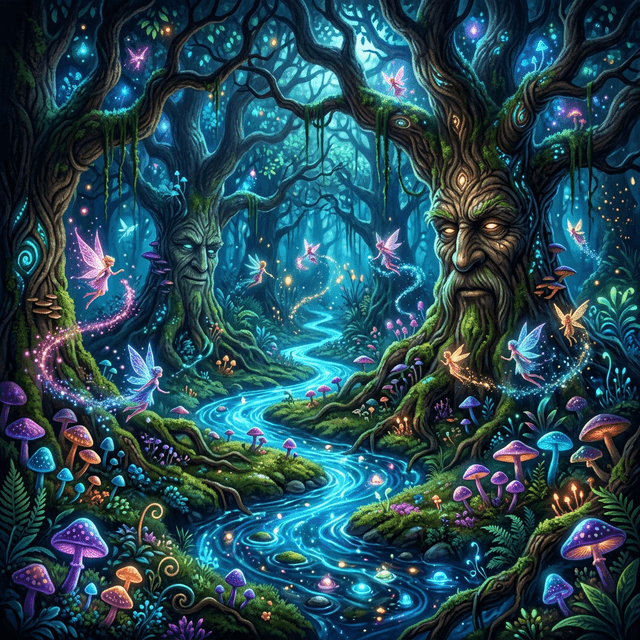
Enchanted Glowing Forest
Prompt
Paint an enchanted forest at twilight glowing with bioluminescent plants, drifting spores of light, and a soft mist hugging the mossy ground. Tall ancient trees frame a winding path lit by glowing mushrooms, with magical particles floating in volumetric beams. Cool blue-green base palette punctuated by warm magical glows, deep atmospheric depth, and a dreamy, otherworldly mood. Ultra-detailed foliage, painterly yet crisp, cinematic fantasy composition with a clear focal clearing. The result should feel like a storybook or an RPG environment — serene, magical and immersive.
 Interior
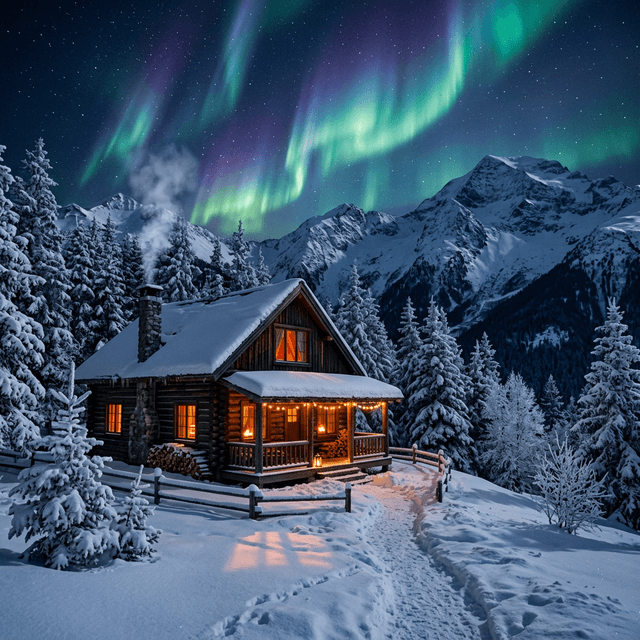
Cozy Cabin Interior
Prompt
Generate a warm, cozy log-cabin interior at dusk: a crackling fireplace casting flickering golden light, a worn leather armchair with a knit blanket, a steaming mug on a wooden side table, and soft snow falling outside the window. Warm amber key light from the fire, cool blue ambient light from the window for contrast, soft shadows and gentle bokeh. Rich textures on wood, wool and stone, inviting hygge atmosphere, shallow depth of field. Photoreal interior photography, balanced exposure, lifestyle-magazine warmth. The result should feel calm, comforting and lived-in.
 Macro
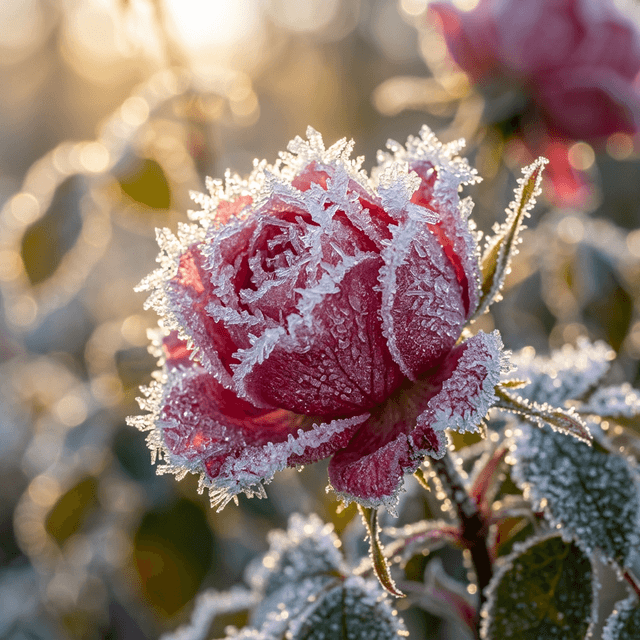
MacroMacro Flower Detail
Prompt
Capture an extreme macro of a dew-covered flower at sunrise: razor-thin depth of field isolating a single petal edge, glistening water droplets acting as tiny lenses, and soft golden backlight rimming the translucent petals. Creamy bokeh background in complementary colours, delicate pollen detail on the stamen, and a calm, pristine mood. Ultra-sharp focus plane with smooth falloff, high micro-contrast on textures, natural colour. Photoreal macro photography, gallery-quality botanical detail. The result should feel intimate, tactile and serene.
 Food
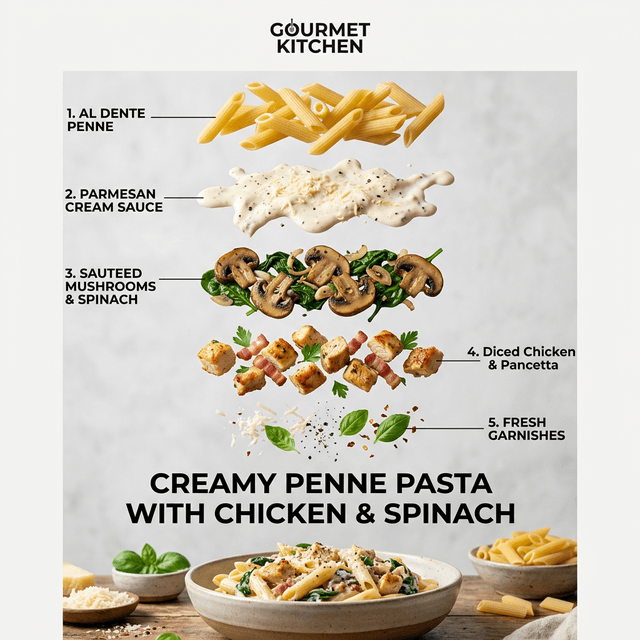
FoodAppetizing Food Photography
Prompt
Create a mouth-watering overhead-to-45-degree food shot of a steaming bowl of creamy pasta on a rustic table, garnished with fresh herbs and cracked pepper, a fork mid-twirl, and soft natural window light from the side. Glossy sauce highlights, visible steam, shallow depth of field, and styled props — a linen napkin, a glass of water, scattered ingredients. Warm appetising colour grade, crisp focus on the hero dish, realistic textures. Restaurant-menu and recipe-blog quality food photography with inviting, fresh styling and generous negative space for text.
 Fashion
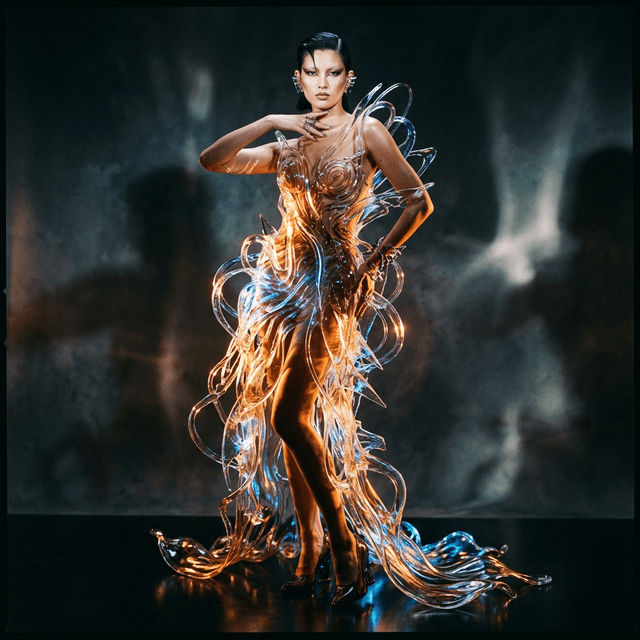
High-Fashion Editorial
Prompt
Restyle the uploaded person as a full-body high-fashion editorial subject on a runway, preserving the face and identity. Dress them in a refined couture outfit with tailored structure, luxurious fabric and elegant folds; confident graceful posture, refined expression. Cinematic runway lighting, audience softly blurred behind, clean composition with a clear body silhouette. Editorial fashion photography, ultra-detailed, realistic skin, high-end campaign mood, front-facing runway moment. Premium styling, balanced colour grade, magazine-cover polish. The result should look like a frame from a fashion-week show.
 3D Figurine
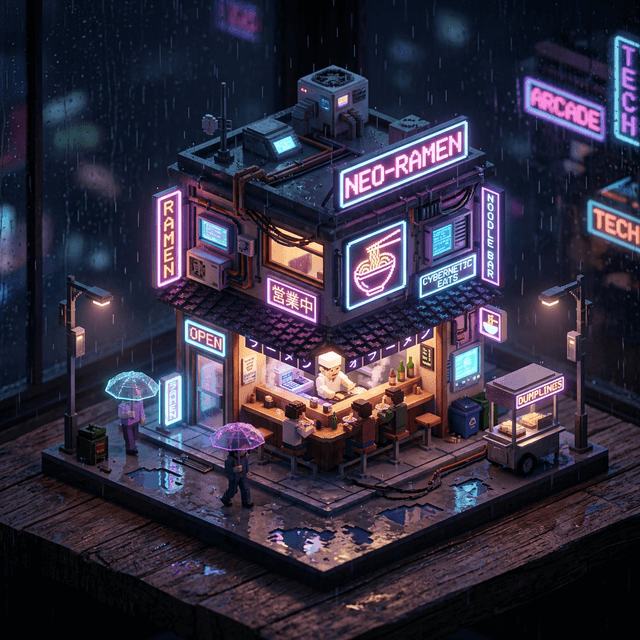
Isometric Miniature Room
Prompt
Generate a charming isometric miniature room rendered as a clean 3D diorama: a cozy creative studio with a desk, plants, shelves and warm lamp light, viewed at a true isometric angle on a soft gradient background. Soft global illumination, gentle ambient occlusion, tidy stylised props, and a tight pastel-leaning colour palette. Crisp edges, balanced composition, a little depth of field, and a delightful toy-like quality. Mobile-game-asset and explainer-graphic friendly. The result should feel neat, cute and professionally rendered.
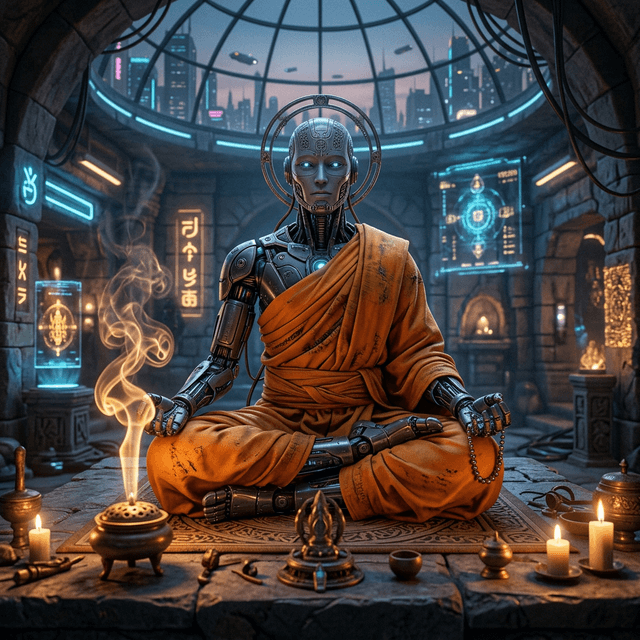 Sci-Fi
Sci-Fi Robot Monk
Prompt
Create a contemplative sci-fi robot monk standing in a shaft of light inside a vast minimalist temple. Weathered ceramic-and-metal plating, intricate mechanical joints, a flowing fabric robe, and softly glowing optical sensors. Dramatic single-source god-ray from above, dust motes in the beam, deep shadow surrounding the figure, and a calm, spiritual mood. Ultra-detailed materials, cinematic lighting, strong silhouette, atmospheric depth. Photoreal character concept art with a sense of quiet reverence and scale. The result should feel meditative and grand.
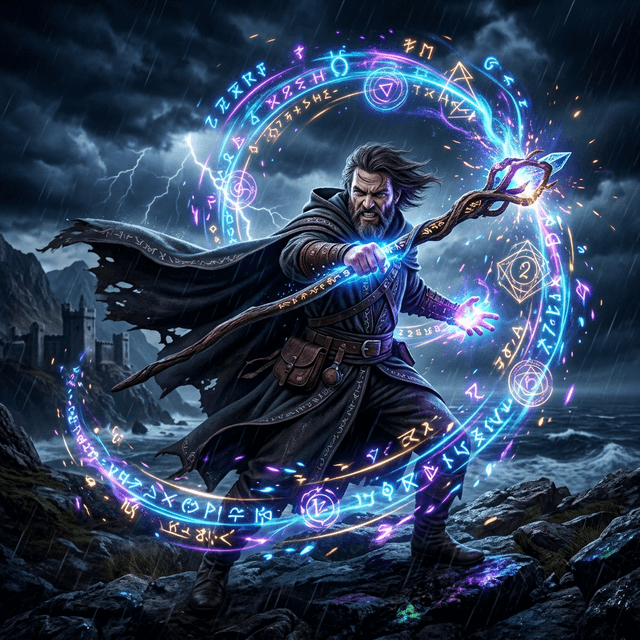 Fantasy
Fantasy Spellcaster
Prompt
Render a fantasy spellcaster mid-incantation, glowing runes and swirling energy spiralling around their outstretched hands, illuminating the face from below with magical light. Dramatic rim light from the spell, flowing robes catching the motion, embers and particles drifting through the air, and a dark moody environment for contrast. Saturated magical colour against deep shadow, dynamic composition with a sense of power and motion, ultra-detailed effects. Cinematic fantasy concept art with strong focal energy and an epic, climactic mood.
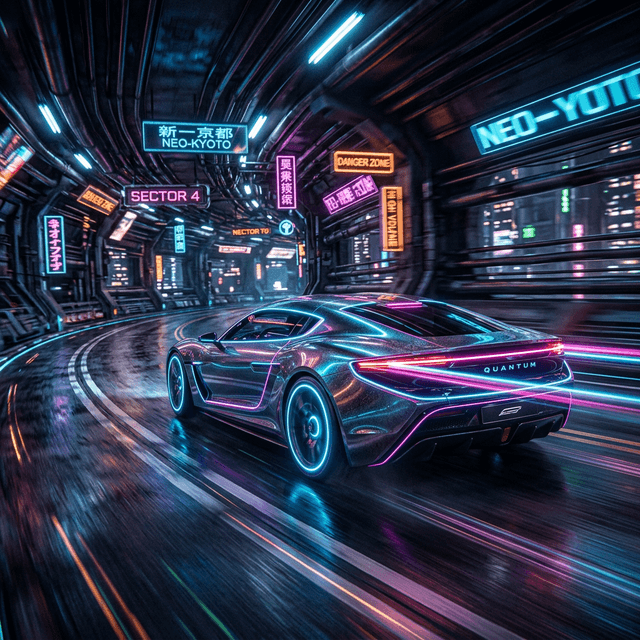 Product
Automotive Concept Shot
Prompt
Create a sleek futuristic concept car photographed on a wet reflective studio floor with dramatic gradient lighting sweeping across the bodywork to reveal its curves. Glossy paint with crisp reflections, glowing accent lighting, deep mirror floor reflection, and a dark seamless background. Low three-quarter hero angle, cinematic rim light defining the silhouette, ultra-detailed surfacing and tyre tread. High-contrast automotive-advertising aesthetic, photoreal render quality, generous negative space for a tagline. The result should look like a flagship car reveal.
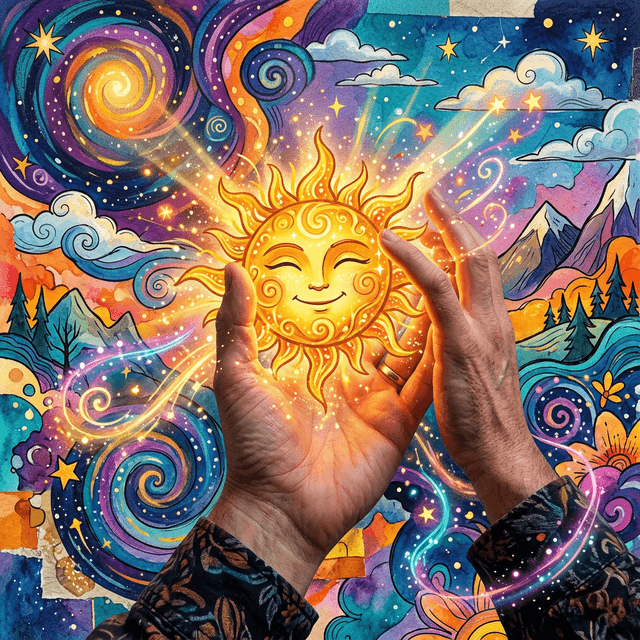 Portrait
Mixed-Media Portrait
Prompt
Reinterpret the uploaded portrait as an expressive mixed-media illustration fusing watercolour and gouache with dynamic ink-sketch contours, keeping the likeness recognisable. Loose yet controlled brushwork, layered translucent washes, visible paper texture, organic paint splashes, and a warm earthy palette of cream, sepia, burnt sienna and muted blue-grey. Strong contrast between refined facial detail and loose abstract surroundings; soft cinematic lighting and subtle colour bleeding. Editorial, contemporary-art-magazine aesthetic, handcrafted feel, gallery-quality finish. The result should balance realism and sketch art beautifully.
 Fashion
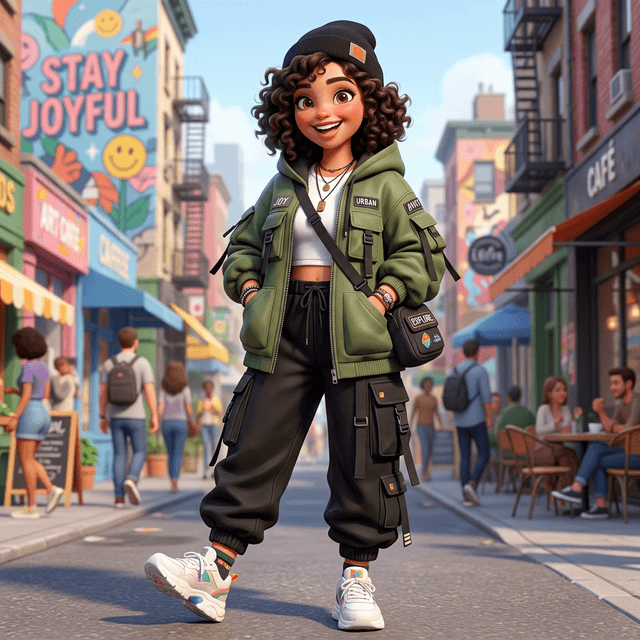
Streetwear Fashion Portrait
Prompt
Restyle the uploaded subject as a confident streetwear fashion portrait, preserving the face and identity. Oversized cargo trousers, a layered modern fit, chunky sneakers and statement accessories; an assured pose against an urban concrete backdrop with soft graffiti bokeh. Natural directional daylight with a touch of flash fill, crisp focus, realistic skin and fabric texture, and a contemporary muted colour grade. Editorial street-style framing, full-body composition, magazine-quality finish. The result should read as a genuine lookbook shot.
RestoreOld Photo Restore & Colorize
Prompt
Restore the uploaded old or damaged photo: remove scratches, dust, creases, stains and tears, reduce noise, and gently recover lost detail in faces and fabric without over-smoothing. Then add natural, period-accurate colour with believable skin tones, hair and clothing. Keep faces, expressions, proportions and the original composition completely unchanged — restoration only, no restyling. Balanced tones, gentle sharpening, true-to-life contrast, archival quality. The result should look like a carefully hand-restored heirloom photograph, faithful to the original moment.
EditBackground Swap, Subject Locked
Prompt
Replace only the background behind the subject with a bright, minimal studio gradient, matching the original light direction, white balance and edge detail so the cutout looks completely natural — clean hair edges, believable contact shadow, no halo. Keep the person, pose, outfit and colours exactly as they are. Subtle rim light to separate the subject from the new background, balanced exposure, professional finish. Output a clean, versatile image ready for a profile photo, a team page, or an e-commerce listing.
 Sticker
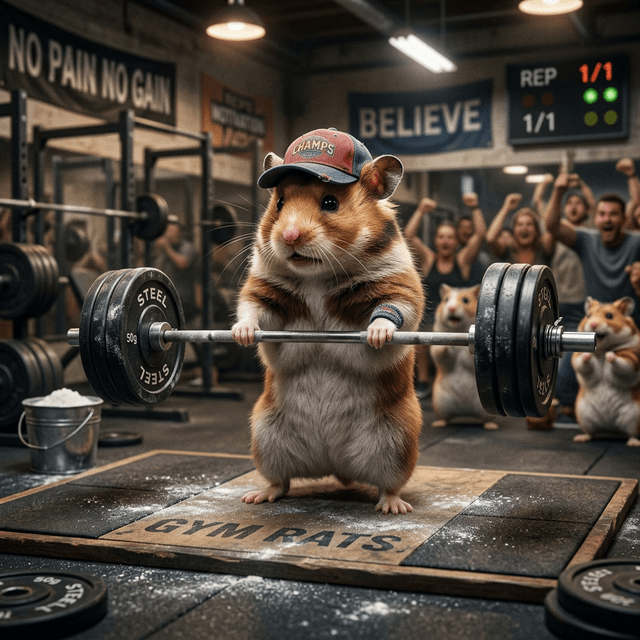
Cute Emoji Sticker Set
Prompt
Turn the subject into a set of cute, glossy die-cut stickers with a bold white outline, each showing a different expression — happy, laughing, surprised, love-struck — on a transparent-style background. Clean vector-leaning shapes, vibrant saturated colours, soft cel shading and a chunky outline for that classic sticker look. Consistent character design across all expressions, centered framing, playful and friendly. Messaging-app and merch friendly. The result should be instantly shareable and adorable.
 Product
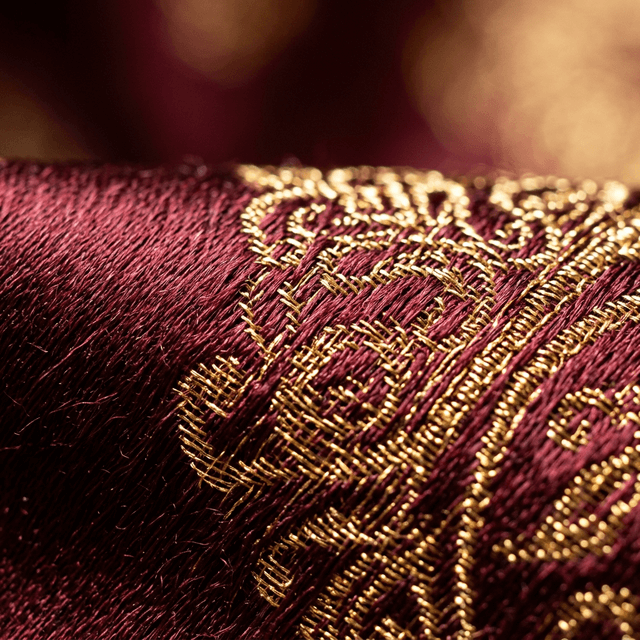
Macro Product Texture
Prompt
Shoot an extreme macro of the uploaded product that celebrates its texture and finish — razor-thin depth of field, soft wraparound light, dew-fresh micro-detail and crisp specular highlights along the edges. Keep colours and materials perfectly accurate. Clean background blur in a complementary tone, premium close-up framing, tactile realism. The result should feel like a luxury detail shot for a launch page, highlighting craftsmanship and quality.
How to Use Nano Banana Prompts
From spotting a look you like to a finished image in well under a minute. Every Nano Banana prompt is browse-and-go — no prompt-writing skills, no account needed to copy.
Find a Nano Banana Prompt You Like
Scroll the library and judge by the real example image on every card — what you see is what each prompt produces. Browse by look: portrait, product, 3D figurine, anime, cinematic, fantasy, food, fashion and more. Some prompts edit a photo you upload, others generate a fresh image from text, so there is something here for whatever you are trying to make.
Copy the Prompt, or Hit Use It
Tap Copy to drop the full prompt onto your clipboard for any AI tool you already use. Or tap Use It to jump straight into Banana AI with it pre-loaded — upload your photo if it is an edit, and you are one click from generating. The wording is clear and model-agnostic, so it performs the same whether you run it here or paste it elsewhere.
Generate, Then Make It Yours
Run it, then refine in plain language — change the colour, the lighting, the framing, the mood — until it is exactly right. Because every card shows its baseline result, you always know what you are tweaking from. Switch to Nano Banana Pro, Gemini 3 Pro Image or GPT Image 2 on the same screen if a shot wants higher resolution, readable text or a different strength.
Why This Nano Banana Prompts Library Is Different
Four reasons these Nano Banana prompts actually get used — shown on real renders, not just claimed.

See the Output Before You Copy a Single Prompt
Most prompt lists are walls of text that leave you guessing. Every prompt here is paired with the actual image it produced, so you know the exact style, composition and quality before you spend a credit. Browse visually, pick the result that matches your idea, and copy with confidence — what you see is what you get when you hit Use It. No surprises, no wasted generations, no copy-paste-and-pray.
A Nano Banana Prompts Library Built to Actually Get Used
Curated, previewed and wired straight into the generator — so a great Nano Banana prompt turns into a finished image instead of a half-finished idea.

Curated Nano Banana Prompts Across Every Popular Style
From editorial portraits and clean product shots to 3D figurines, anime, cyberpunk, fantasy landscapes, food and fashion, the library spans the looks people actually search for. Each one is hand-tuned to produce a strong, repeatable result, with detailed notes on style, lighting, composition and mood — so you can use it as-is or study how it is built and adapt it to your own subject.

Every Nano Banana Prompt Shows Its Real Result
No more copy-paste-and-pray. Each card displays the actual image it generated, so you choose with confidence and stop burning credits on prompts that do not match your idea. That transparency is the difference between a plain prompt list and a real prompt library — you see the style and quality up front, then copy or Use It knowing exactly what you will get.

Copy or Use It — Inspiration to Image, Fast
Copy any prompt for the tool you prefer, or hit Use It to load it straight into Banana AI, ready to generate. Then switch between Nano Banana, Nano Banana Pro, Gemini 3 Pro Image and GPT Image 2 to land the exact shot. The whole library is wired into the generator, so the gap between finding a prompt and creating the image is one tap.
Who Uses Nano Banana Prompts
Anyone who wants a great image without wrestling a blank prompt box. See how different creators put the Nano Banana prompts library to work.
Content Creators
Spin up scroll-stopping thumbnails, posts and story art from proven Nano Banana prompts. Find a trending look, hit Use It, and keep the content calendar full without booking a shoot or learning prompt engineering. Preview the result first so every post lands the aesthetic you want.
Marketers & Brands
Generate campaign visuals, product scenes and ad concepts in minutes using Nano Banana prompts tuned for marketing. Preview each result to keep everything on-brand, then produce unlimited variations for A/B testing — no stock-photo subscription and no expensive photoshoot required.
Store Owners
Turn a plain packshot into clean catalog and lifestyle imagery with product and background-swap Nano Banana prompts that keep your item exactly as it is. Copy a prompt, upload your photo, and have a listing-ready image in a couple of clicks — professional results for pennies.
Designers
Grab hero images, backgrounds and concept art that match a brief, then study the structure of each Nano Banana prompt to build your own. Present multiple visual directions to clients in minutes rather than days, and reuse the prompts you like across projects.
Prompt Learners
Reverse-engineer prompts that actually work. Every Nano Banana prompt is a worked example — read how detail, style, lighting and composition are described, copy it, change a few words, and watch how the output shifts. The fastest way to level up your prompt-writing.
Hobbyists & Explorers
Just here to make something cool? Pick a Nano Banana prompt, copy it or hit Use It, and create — zero prompt-engineering required. With dozens of styles to explore and a real preview on each, it is the most fun, lowest-effort way to enjoy AI image generation.
What Creators Say About Nano Banana Prompts
Designers, sellers and social teams who swapped trial-and-error for proven, previewed Nano Banana prompts.
I stopped writing prompts from scratch. I find the look in the Nano Banana prompts library, see exactly what it makes, hit Use It, done. A week of post art now takes me an afternoon — and it actually looks on-brand.
Nano Banana Prompts — Questions, Answered
What the Nano Banana prompts library is, how Copy and Use It work, whether it is free, and how to get the most from each prompt.
Nano Banana prompts are ready-to-use text prompts for AI image generation, each shown with the real image it produced. Instead of starting from an empty box, you browse a curated library, see the result up front, then copy the text or send it straight to the Banana AI generator. Every one spells out the subject, style, lighting and composition, so it reliably recreates the look on its card.
Two ways, both fast. Tap Copy to put the full text on your clipboard for any AI tool. Or tap Use It to open Banana AI with it already loaded — if it edits a photo, upload yours first, then press generate. No writing skills needed: pick the look you like from the example image, copy or Use It, and you are creating in seconds.
Yes — browsing and copying Nano Banana prompts is completely free, with no sign-up required to read or copy any prompt. To generate on Banana AI you get free starter credits when you sign up, and free-tier renders export without a watermark. Heavier use is covered by affordable credit packs, but you can explore the entire prompt library and copy as many prompts as you like at no cost.
Copy grabs the Nano Banana prompt text so you can paste it into whatever tool you prefer — maximum flexibility. Use It launches Banana AI with the prompt pre-loaded so you can generate immediately — maximum speed. Same prompt, two workflows: Copy for universal compatibility, Use It for the fastest, most frictionless path from prompt to finished image.
Yes. Every Nano Banana prompt is written in clear, model-agnostic language, so a prompt you copy here will perform across the major AI image generators — not only Banana AI. There is no platform-specific syntax to strip out. Copy the prompt and paste it wherever you already create; the descriptive, structured wording is designed to be portable.
Both. Some Nano Banana prompts restyle or edit a photo you upload — portrait repaint, background swap, old-photo restore, product packshot — while others generate a fresh image purely from text, such as fantasy landscapes, concept art and mascots. Each card and prompt makes it clear which is which, so you always know whether to upload a photo first.
Not at all. Pick a look you like from its example image, copy it or hit Use It, and you are done — no technical knowledge required. As you browse, you will naturally absorb what makes a prompt effective, because every Nano Banana prompt doubles as a worked example you can study and adapt. The library grows with you from beginner to advanced.
Absolutely — treat every Nano Banana prompt as a starting point. Change the colour, lighting, setting, outfit or subject in plain language, swap a style for another, or combine ideas from two prompts. Because each one shows its baseline result, you always know exactly what you are tweaking from, which makes iterating quick and predictable.
Use It opens the Nano Banana generator by default, and you can switch to Nano Banana Pro, Gemini 3 Pro Image or GPT Image 2 on the same screen if a prompt wants higher resolution, readable on-image text or a different artistic strength. The same Nano Banana prompt runs across all of them — no need to rewrite it when you change models.
The Nano Banana prompts library grows regularly with new looks and trending styles, so there is always a fresh prompt to copy. We add prompts across portrait, product, 3D, anime, fantasy, food, fashion and more, each with a real result preview. Bookmark the page and check back whenever you need a new direction for your next image.
Pick a Nano Banana Prompt. Make the Image.
Browse the Nano Banana prompts library, copy the prompt that fits, or hit Use It to generate it on Banana AI right now. No installs, no card, no watermark on free renders — and you can switch between Nano Banana, Nano Banana Pro, Gemini 3 Pro Image and GPT Image 2 any time. Stop staring at a blank box and start from a prompt that already works.